How to use Bixby Routines
Important Note: The information on this page is for Hong Kong products only. Models, sequences or settings will vary depending on location and/or where the product had been purchased. To be redirected to your local support page please click here.
Bixby Routines uses machine intelligence to learn your usage patterns and preferences. It can then use this to automatically adjust settings, control apps, optimise the battery, and much more.
You can also manually set up routines yourself based on where you are and what you’re doing.
For example, create a ‘good night’ routine so that at a certain time the sound on your phone goes to mute, night mode goes on, and your lock screen shortcuts change.
Tap the Bixby Routines icon to switch it on.
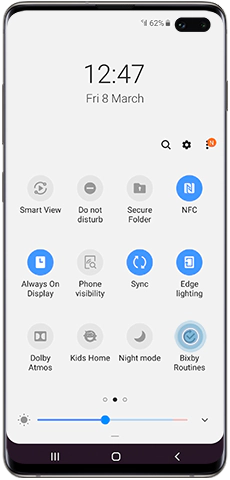
After a short learning period of up to 14 days, Bixby may start recommending some appropriate routines for you.
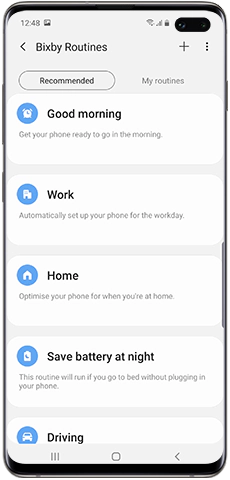
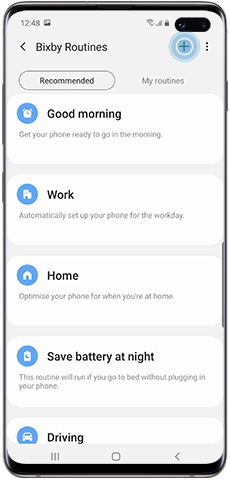
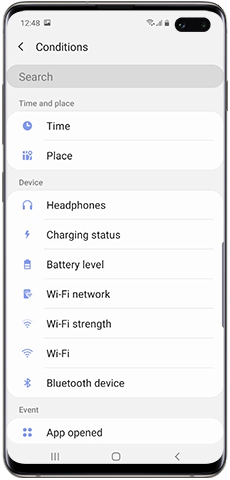

If the routine is already running, you can temporarily switch it off by following the below steps:
Please note: This will only switch off this one instance of the routine. To permanently switch off the routine you need to deactivate it via the switch as described above.
If the above information does not match what your product is showing, you may check the User Manual for your product. If you are unable to solve the problem, please contact us for further assistance.
Thank you for your feedback!
Please answer all questions.
RC01_Static Content : This text is only displayed on the editor page