‘Edge Touch’ app (Hong-Kong version): How can I Set the ‘Touch Area’ for Edge Screen?
Important Note: The information on this page is for Hong Kong products only. Models, sequences or settings will vary depending on location and/or where the product had been purchased. To be redirected to your local support page please click here.
Touch area of Edges on touchscreen can be adjusted by an application (‘app’) called ‘Edge Touch’ on Galaxy Apps. You can set the Edge zones where touches won’t be recognized to prevent unintended screen touches via this app.

‘Edge Touch’ on Galaxy App

App Installation

Run Installation
Select Mode: Optimized (Default), Sensitive zone, Insensitive Zone
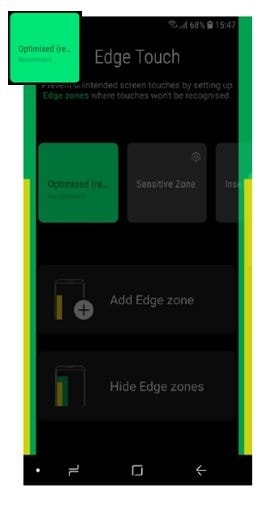
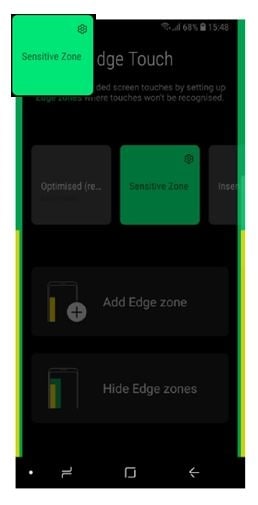

Add Edge zone by user: Grip zone & Blocked zone can be modified by users.


- The above application description is only applicable to the ‘Edge Touch’ application released on Samsung smartphones with Android 8.0 OS (Oreo) or above in year 2018 in Hong Kong. The above application description was updated in November 2018 and for reference only.
- GUI of this application is subject to change without prior notice. All images are for reference only.
If the above information does not match what your product is showing, you may check the User Manual for your product. If you are unable to solve the problem, please contact us for further assistance.
Thank you for your feedback!
Please answer all questions.
RC01_Static Content : This text is only displayed on the editor page